UAE classroom observation analytics

Clear sight on every classroom.

ClassroomLens turns your observation spreadsheet into an inspection-ready dashboard — every teacher, department, criterion, and risk at a glance. Runs in your browser. Your teacher data stays on your device by default — optional cross-device sync is off until you turn it on.

Already have a licence key? Open the app →
Reply within 1 working day Built for UAE inspection Local-first — you control the cloud
Pilot pricing for the 2026-27 academic year.
Early-adopter schools welcome. Contact us to reserve a licence.
classroomlens.app/app · School overview
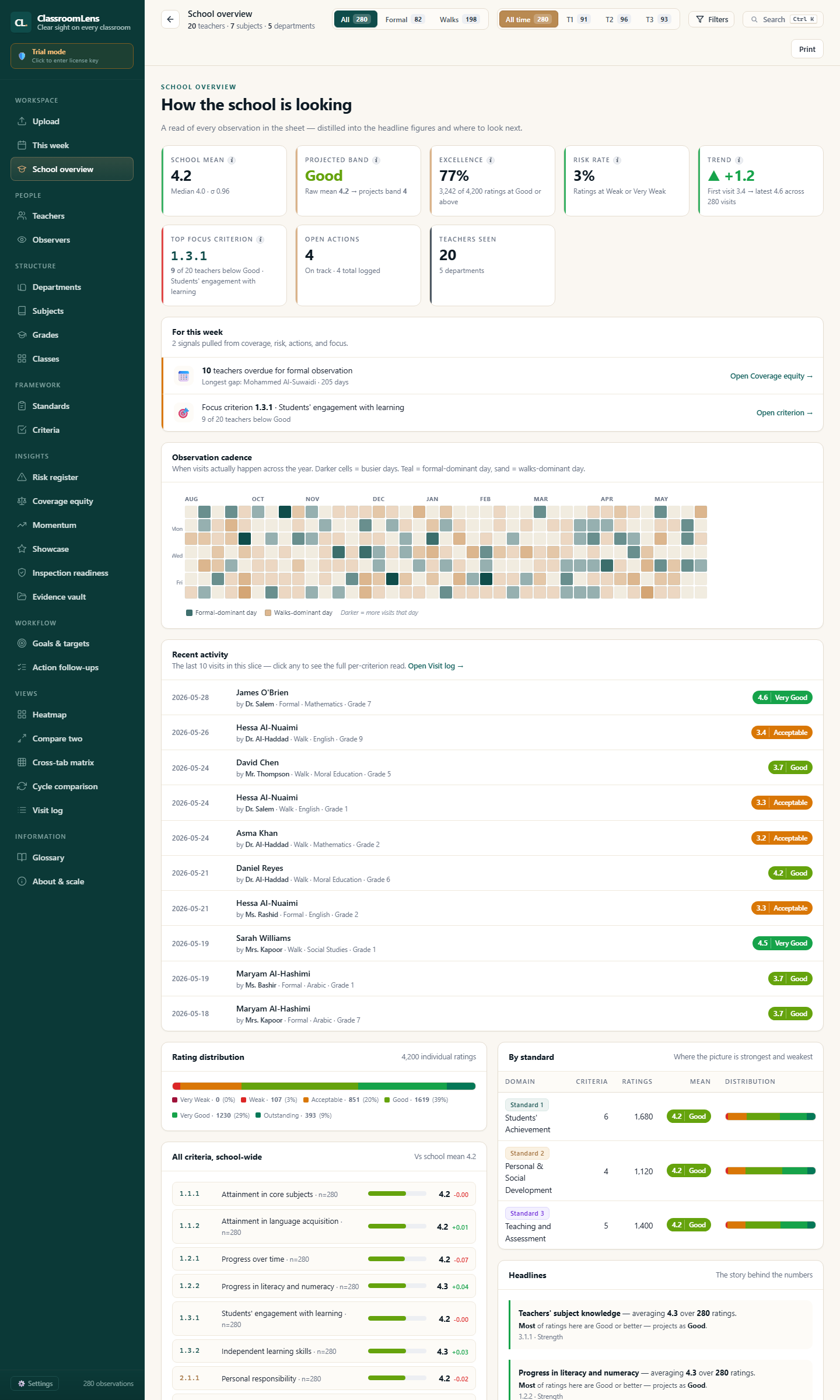
ClassroomLens School Overview — KPI dashboard with school mean, projected band, excellence rate, observation cadence heatmap, and per-standard breakdown
The problem

Observation data lives in spreadsheets nobody reads.

You have months of classroom visits in your sheet. The patterns are there. You just can't see them until it's too late — and by then, inspection week has arrived.

Spreadsheets hide the story

Hundreds of rows, dozens of columns, no way to see which teachers need help or which criteria are slipping across the school.

Inspection prep becomes a panic

Two weeks before the inspectors arrive, you're rebuilding briefs from scratch — instead of continuously knowing where you stand.

Vendor clouds add new risks

Most "analytics platforms" want your teacher and student data on their servers. That's a data-protection conversation you don't want to have.

How it works

Three steps. No setup. No learning curve.

ClassroomLens is a single HTML file that runs in your browser. The app reads your sheet locally, analyses it, and presents the patterns. Nothing uploads unless you turn on optional cross-device sync.

Drop your sheet in

CSV or Excel. Whatever columns you already use — Teacher, Observer, Date, Subject, Criteria. ClassroomLens auto-detects the mapping.

See every angle at once

Teachers, departments, subjects, grades, classes, observers, criteria. Risk register and showcase generated automatically.

Print inspection-ready briefs

One click. Branded with your school name and logo. Standards-aligned. Ready to share with leadership or hand to an inspector.

What you see

Built for the principal, not the data scientist.

Every page answers a question a school leader actually asks. No charts for the sake of charts.

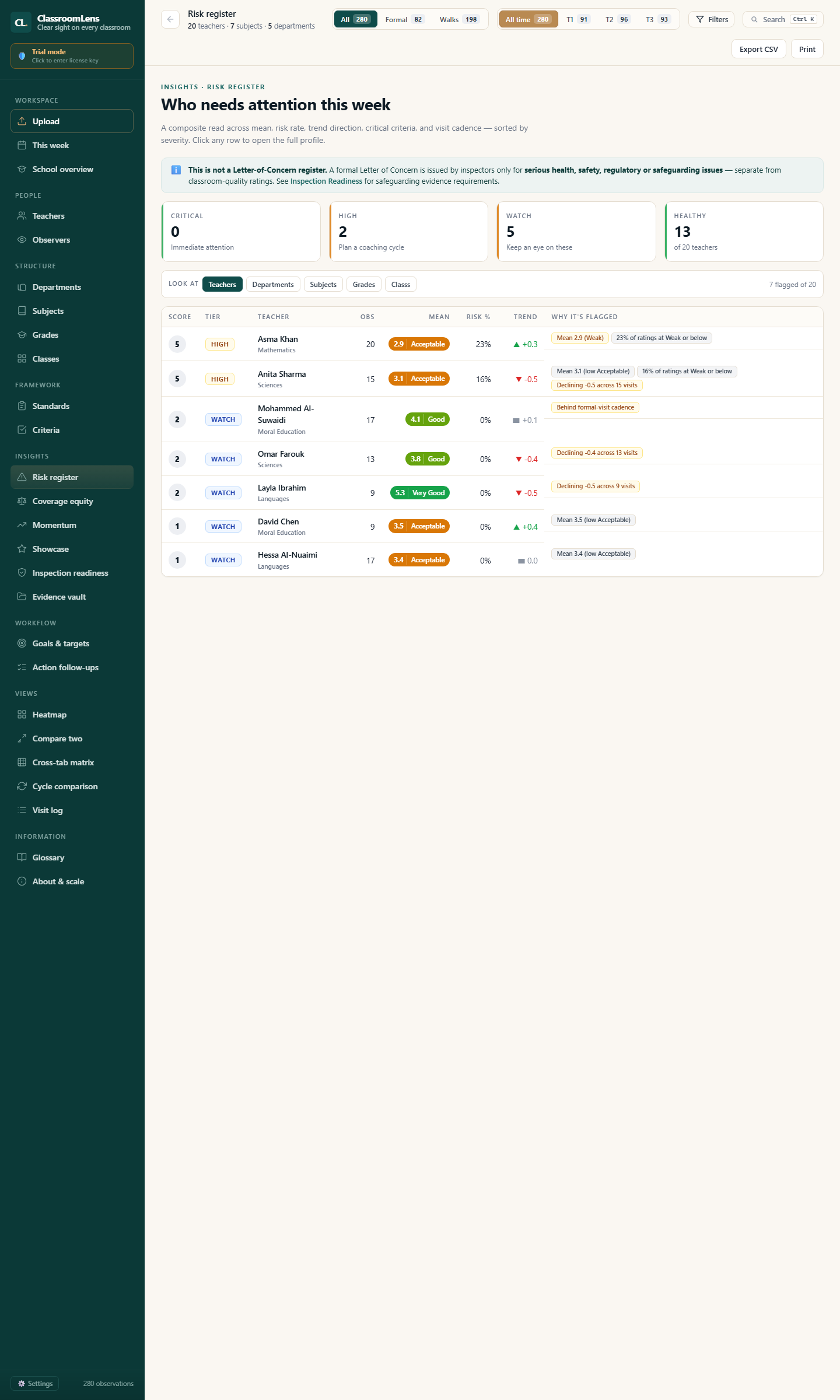
Risk register page — Who needs attention this week, with badges and reasons
Risk register

Who needs attention this week

The teachers whose recent ratings have slipped, or who haven't been visited in too long. Each row carries the "why" — no guessing.

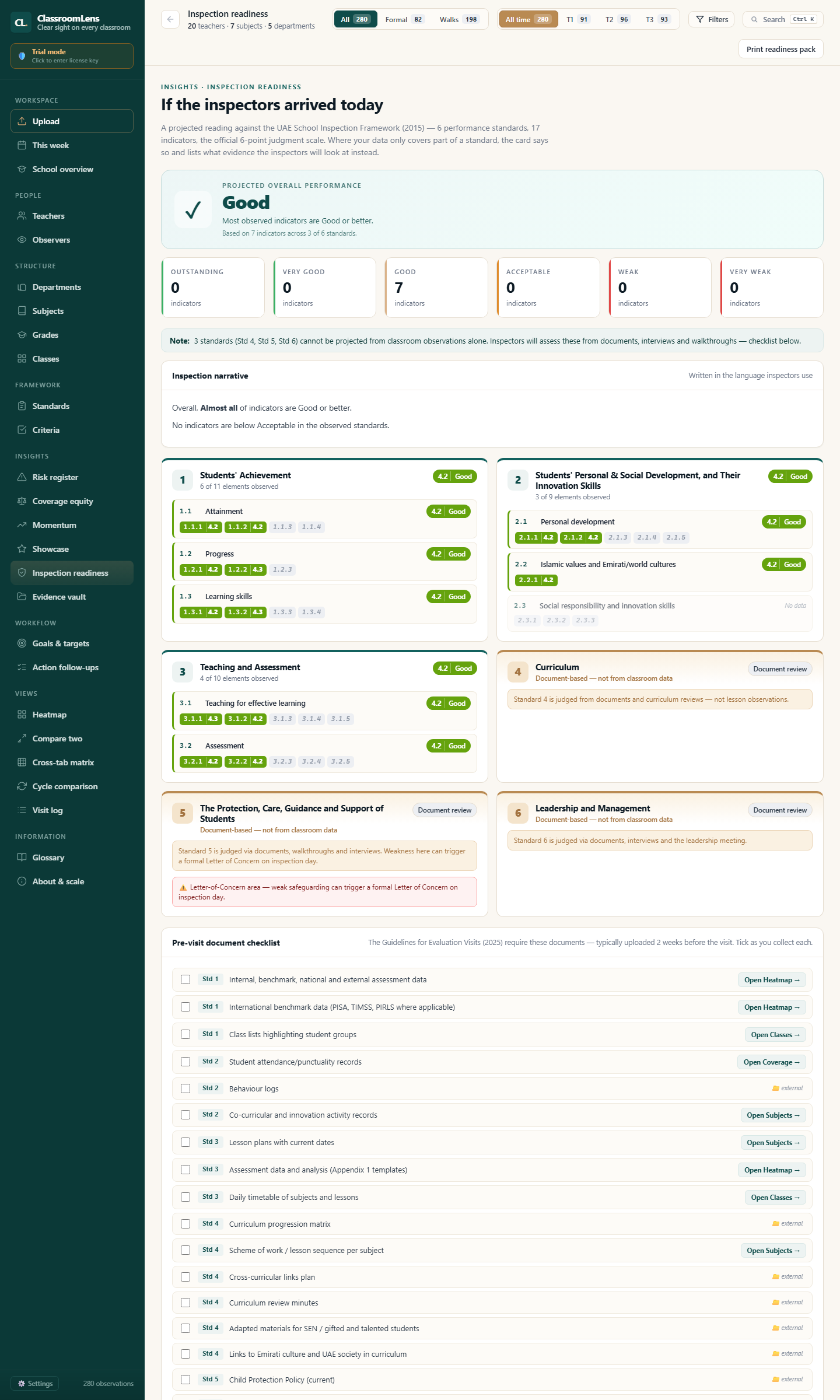
Inspection readiness page — projected band, standards breakdown, pre-visit document checklist
Inspection readiness

How your data reads against the framework

An indicative band based on your own observation data, broken down by standard, to show where to focus before an inspection — a planning aid, not a prediction or official judgement. The evidence checklist comes prepared for you.

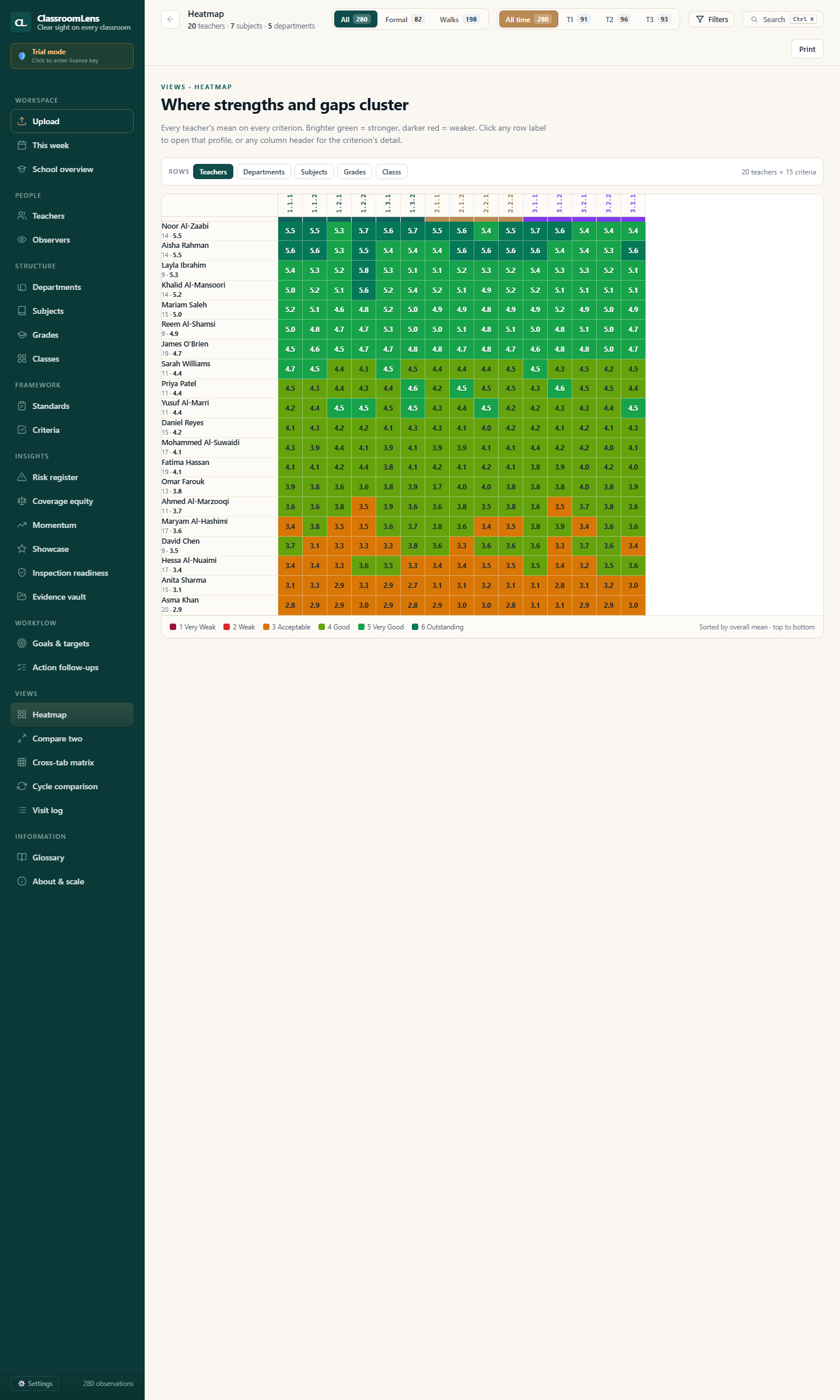
Heatmap page — colour grid showing teachers vs criteria, strengths and gaps clustering
Heatmap

Where strengths and gaps cluster

The full teachers-by-criteria matrix in one image. You see weak rows (a teacher needing support) and weak columns (a school-wide gap) instantly.

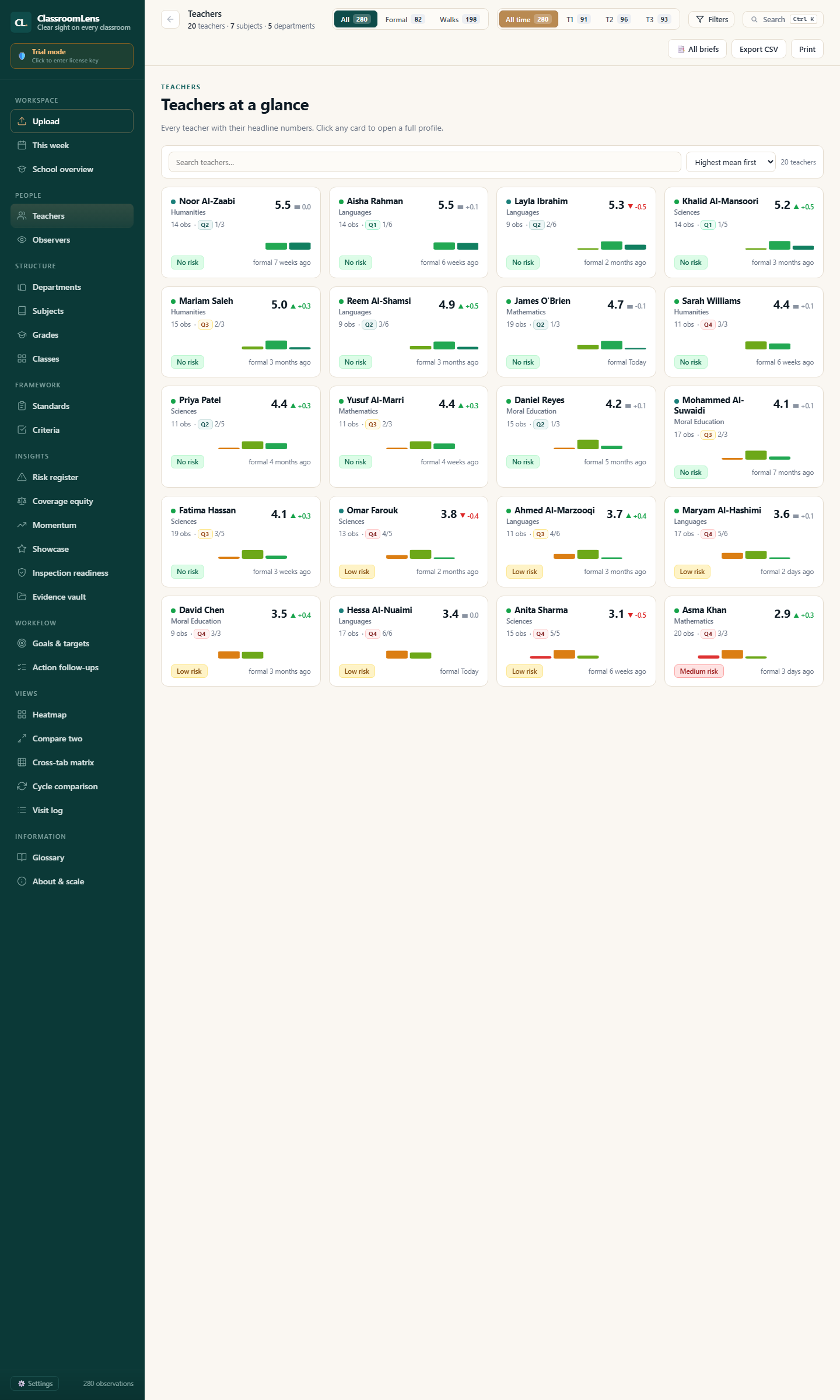
Teachers page — card grid of all teachers with score, sparkline, and last visit
Teachers

Every teacher at a glance

Each card shows the mean, the trend, and last visit. Click through to a full profile — radar chart, criteria breakdown, progression over time.

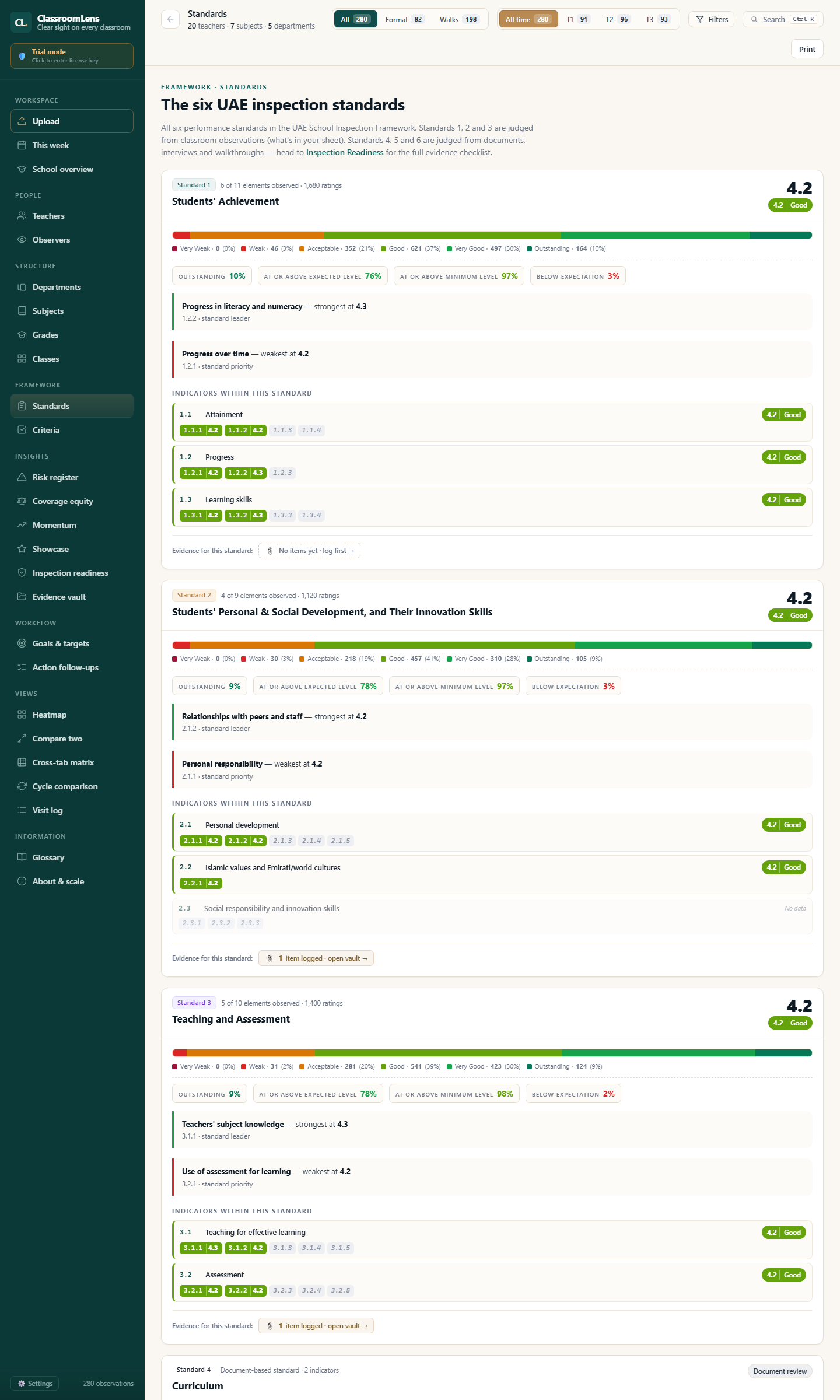
Standards page — six UAE inspection standards with scores and criteria breakdowns
Standards & criteria

UAE framework, native

All six inspection standards, with each criterion's school-wide mean and progress narrative. Speaks the language inspectors use.

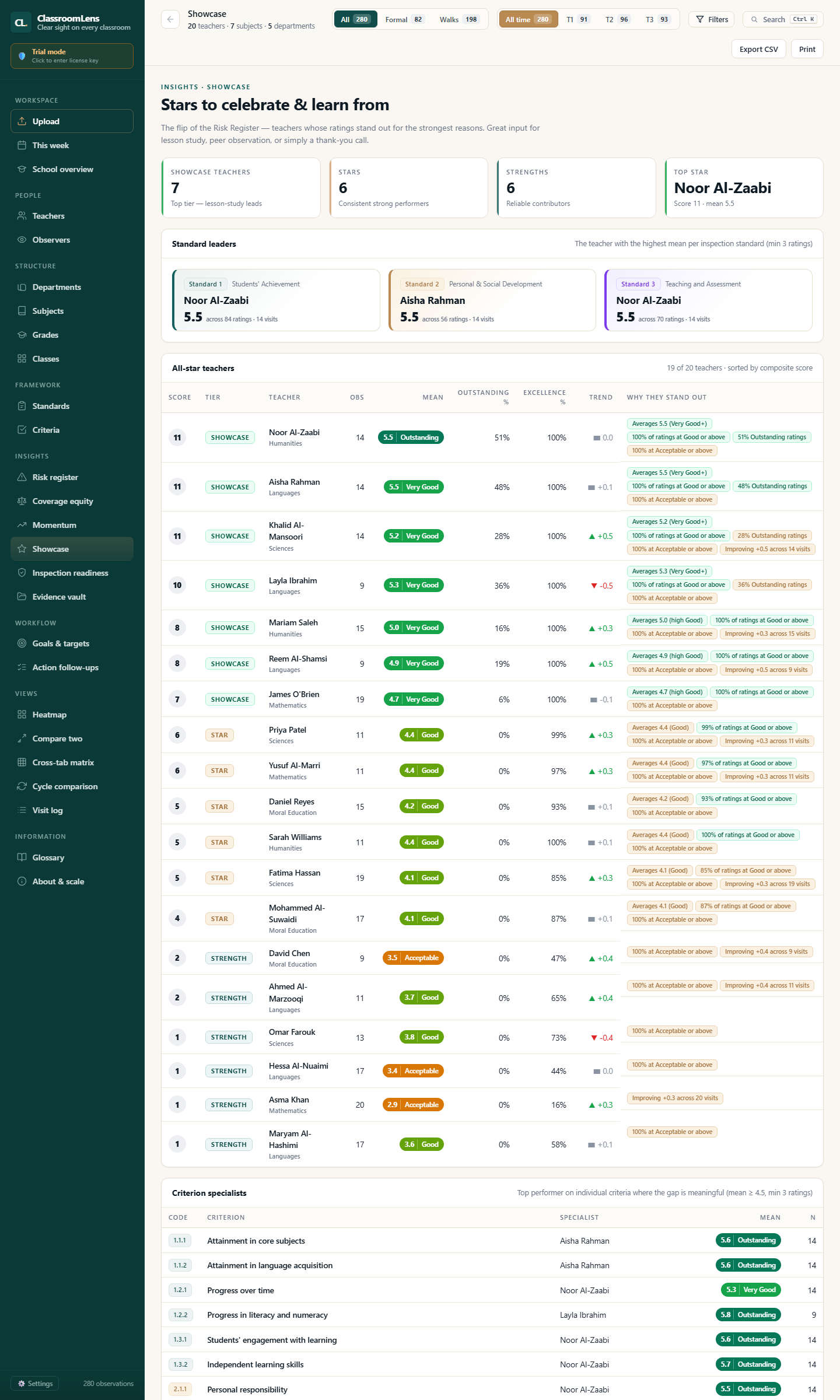
Showcase page — stars to celebrate and learn from, standard leaders, all-star teachers, criterion specialists
Showcase

Stars to celebrate & learn from

The opposite side of the risk register — your strongest teachers, ready for lesson-study leadership, peer observation, or simply a thank-you call.

Built for UAE inspection · KHDA · ADEK · MoE

Speaks the inspector's language from day one.

Defaults follow the UAE School Inspection Framework. Compatible with KHDA, ADEK, and MoE rubrics. Edit, add, or remove criteria to match your school's specific framework.

6
Inspection standards
Yours
Criteria — fully configurable
6
Point rating scale
2
Visit types (Formal · Walk)

Standards covered

  • Students' Achievement
  • Personal & Social Development
  • Teaching & Assessment
  • Curriculum
  • Protection, Care, Guidance & Support
  • Leadership & Management

Sample criteria

  • 3.1.1 Teachers' subject knowledge
  • 3.2.1 Use of assessment for learning
  • 3.2.2 Differentiation for different needs
  • 1.3.2 Independent learning skills
  • 2.2.2 Cultural awareness
  • and more — fully editable to your school's rubric
Privacy by design

Your observation data stays on your laptop.

ClassroomLens is a single HTML file. By default, teacher names, ratings, and comments live in your browser's local storage and stay on your device — the only data we log on our servers is licence-verification metadata, nothing about your teachers or students. Optional cross-device sync (off by default) stores an encrypted copy against your licence so your other devices can read it; you can delete it anytime. Seethe full privacy notice for details.

No cloud by default

By default your sheet stays on your laptop — no cloud copy, nothing for an attacker to breach centrally. Optional cross-device sync is off until you enable it, and you can delete the cloud copy in one click.

You own the export

Your data lives in your browser's storage. One click downloads it as JSON. One click restores it. No vendor lock-in.

Inspection-ready answer

"Where is the teacher data stored?" — "On the head teacher's laptop." That's a conversation that ends in one sentence.

Now accepting pilot schools for the 2026-27 academic year.

Pricing depends on your school's size. Tell us a little about your school and we'll reply with a tailored quote and a guided demo slot — typical response within one working day.

Common questions

Frequently asked.

How is this different from just opening my spreadsheet?

The sheet is your input. ClassroomLens is what reads it well. You get a risk register, showcase, inspection-readiness brief, heatmap, per-teacher profiles, standards/criteria breakdowns — all auto-generated from the same data you'd otherwise scroll through manually.

And the briefs print. One click, branded with your school, ready to share.

Do I have to upload my data anywhere?

By default, no — your sheet is read, analysed, and stored locally; nothing is uploaded. If you want the same picture on another device, you can turn on optional cross-device sync in the app — only then is an encrypted copy stored against your licence, and you can delete it anytime.

What if I want to back up my data?

Settings → Export all data downloads a single JSON file with your sheet, your branding, your goals, your action items, and your evidence vault links. Settings → Import restores it. Standard browser-file workflow, no vendor in the loop.

Does it work offline?

The app needs to be online to verify your licence on load (so saved local copies of the file can't be passed around). Once verified, normal use is uninterrupted. There's a grace period for brief connectivity dips. Sample data exploration during a demo also needs a working internet connection on the live site.

How is it priced?

One licence per school covers your leadership team (Principal, Head of Teaching & Learning, Deputies). Pilot pricing for the 2026-27 academic year starts well below typical enterprise SaaS rates. Email us for a quote tailored to your school's size.

What if my school's rubric differs from the UAE framework?

Criteria are configurable. The defaults follow the UAE School Inspection Framework (6 standards, 6-point scale, compatible with KHDA, ADEK, and MoE rubrics). You can edit, add, or remove criteria to match your school's specific rubric.

Ready to see your data in a different shape?

One conversation will tell you whether ClassroomLens earns a place in your school's week.